


Dell Servers UAE Solutions For Modern Data Management And Growing Businesses
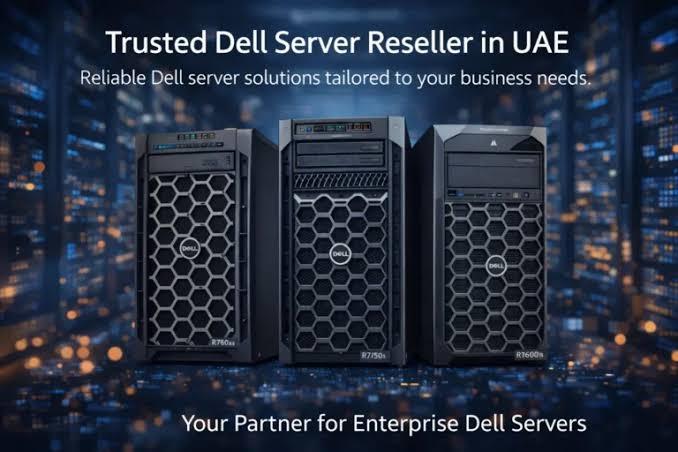
Modern enterprises and rapidly growing small-to-medium businesses in the UAE face unique operational demands. From navigating strict regional data residency regulations—such as the UAE Federal Decree-Law on Personal Data Protection—to maintaining continuous uptime in thermal environments that test hardware limits, having a resilient server infrastructure is non-negotiable.
Establishing a robust IT foundation requires balancing computing power, remote management efficiency, scalability, and power continuity. Dell servers in UAE enterprise environments, specifically the Dell PowerEdge portfolio, deliver purpose-built compute platforms designed for diverse workloads ranging from local database hosting and edge computing to high-density virtualization and artificial intelligence (AI) processing.
What Are Dell PowerEdge Servers and Why Do UAE Businesses Need Them?
Dell PowerEdge servers are enterprise-grade computing systems available in tower, rack, and modular form factors. Engineered with Intel Xeon Scalable or AMD EPYC processors, DDR5 memory architectures, and PCIe Gen5 expansion bandwidth, these servers deliver the raw compute density and low latency required for intensive modern applications.
For UAE organizations—spanning financial hubs in Dubai and Abu Dhabi to logistics centers in Sharjah and Jebel Ali—deploying locally supported Dell servers in the UAE for scalable business infrastructure and reliable IT performance directly addresses three critical IT operational needs:
-
High-Density Virtualization: Running multiple virtual machines (VMs) on a consolidated footprint reduces rack space requirements, cooling overhead, and hardware expenditure.
-
On-Premises Data Security & Sovereignty: Maintaining localized storage ensures full compliance with UAE regulatory mandates for hosting sensitive customer and financial records within country borders.
-
Thermal & Hardware Resilience: Designed with advanced thermal management systems (such as Multi-Vector Cooling and direct-to-chip liquid cooling options), Dell servers maintain optimal thermal states during continuous heavy workloads.
Key Form Factors: Tower vs. Rack vs. Modular Servers
Choosing the right server chassis depends on your existing office layout, cooling capabilities, and growth trajectory.
Form Factor Deployment Matrix

+-------------------+-----------------------------+------------------------------------+
| Form Factor       | Primary Target Environment  | Key Advantage                      |
+-------------------+-----------------------------+------------------------------------+
| Tower (T-Series)  | Branch offices, SMBs, retail| Quiet operation, no rack needed    |
| Rack (R-Series)   | Dedicated server rooms, DCs | High compute density, hot-swapping |
| Modular (MX/Blade)| Large enterprise DCs, cloud | Flexible shared power & networking |
+-------------------+-----------------------------+------------------------------------+
Tower Servers (PowerEdge T-Series)
Ideal for small businesses, retail environments, or remote branch offices without a dedicated server rack. Models like the PowerEdge T160 or T360 offer quiet operation, expandable internal storage, and easy access for maintenance without requiring specialized data center cooling.
Rack Servers (PowerEdge R-Series)
Built for organized mounting inside standard 19-inch server racks, the R-Series forms the backbone of medium-to-large UAE data centers.
-
1U Single/Dual-Socket (e.g., R260, R360, R660, R670): Maximizes compute density per rack unit, ideal for web hosting, microservices, and edge applications.
-
2U Dual-Socket (e.g., R760, R770, R7725): Offers expansive PCIe expansion slots, high drive bay capacity, and support for dedicated GPU accelerators used in AI and complex analytics.
Architectural Features Driving IT Performance
Evaluating Dell PowerEdge infrastructure involves looking under the hood at the architectural components that ensure continuous availability and high throughput.
1. Remote Management via iDRAC
The Integrated Dell Remote Access Controller (iDRAC) is an embedded systems management processor built into every PowerEdge server. It gives system administrators complete agent-free management, allowing them to monitor hardware health, update firmware, reconfigure RAID, and deploy operating systems remotely across distributed UAE branches without physical site visits.
                +---------------------------------+
                |      System Administrator       |
                +---------------------------------+
                                 |
                        (Secure HTTPS / Redfish)
                                 v
+-----------------------------------------------------------------+
|                       Dell PowerEdge Server                     |
|  +-----------------------------------------------------------+  |
|  |             Out-of-Band iDRAC Controller                  |  |
|  |  [Real-Time Diagnostics | Firmware | Remote Console]  |  |
|  +-----------------------------------------------------------+  |
|                                |                                |
|        +-----------------------+-----------------------+        |
|        v                                               v        |
|  [CPUs / DDR5 RAM]                            [NVMe Storage / RAID] |
+-----------------------------------------------------------------+
2. High-Speed Storage Architectures & NVMe RAID
Modern business applications depend heavily on I/O performance. Dell PowerEdge configurations support high-speed NVMe drives paired with hardware PERC (PowerEdge RAID Controller) cards. This ensures low-latency database transactions alongside hot-swappable drive redundancy to safeguard against disk failures.
3. Cyber-Resilient Architecture & Zero Trust
Security is embedded into the server lifecycle from manufacturing to deployment:
-
Silicon Root of Trust: Verifies hardware integrity and prevents unauthorized firmware modifications during boot.
-
System Lockdown: Prevents accidental or unauthorized configuration changes to production servers.
-
Secured Component Verification (SCV): Ensures hardware components arrive at your UAE facility exactly as built and inspected at the factory.
Technical Comparison: Server Selection for Growing Businesses
Matching server specifications to actual workloads avoids over-provisioning expenses or under-performance bottlenecks.
| Server Model | Form Factor | Processor Capability | Memory & Drive Density | Typical UAE Workload |
| PowerEdge T360 | Tower | Single Intel Xeon E-2400 | Up to 128GB DDR5; 8x 3.5" SAS/SATA | SMB ERP, local domain controller, branch file server |
| PowerEdge R470 / R670 | 1U Rack | Intel Xeon 6 or AMD EPYC | Up to 4TB–8TB DDR5; Up to 16 NVMe drives | High-density virtualization, web microservices, SQL databases |
| PowerEdge R760 / R770 | 2U Rack | Dual Intel Xeon 6 / AMD EPYC | Up to 32 DIMM slots; Multi-GPU support | AI inferencing, VDI deployments, enterprise SAP/Oracle workloads |
Power Continuity: The Critical Role of APC UPS Systems
Even the most robust Dell server cannot survive clean power interruptions or unexpected voltage sags without proper power protection. In mission-critical deployments across UAE data centers and network closets, pairing Dell PowerEdge servers with APC UPS systems and APC UPS batteries is industry standard practice.
Power Infrastructure Integration Workflow:

[Mains Power Grid] ---> [APC On-Line UPS Unit] ---> [Dual Hot-Swap Power Supplies]
                              |                              |
                       [Internal Batteries]           [Dell PowerEdge iDRAC]
                              |                              |
                      (Provides Clean Power          (Triggers Graceful
                       & Runtime Buffer)              Automated Shutdown)
-
Clean Voltage Delivery: Double-conversion online APC UPS units isolate sensitive server dual-power supplies from line noise, harmonic distortion, and brownouts.
-
Graceful Automated Shutdowns: When integrated with management software via Network Management Cards (NMC), an APC UPS communicates directly with Dell iDRAC to initiate automated VM migration or orderly operating system shutdowns before batteries deplete fully.
-
Redundancy: Connecting dual-power supply PowerEdge configurations across independent UPS circuits eliminates single points of failure in critical server racks.
Common Implementation Mistakes to Avoid
-
Overlooking Power Requirements: Installing dual-socket, high-wattage servers without checking rack PDU capacities or verifying that the connected UPS has sufficient runtime buffer during outages.
-
Neglecting Airflow Management: Placing rack servers in unventilated office closets without adequate air conditioning or blanking panels causes intake temperatures to spike, leading to CPU thermal throttling.
-
Ignoring Warranty and Local Support: Purchasing grey-market imported units without verified UAE local warranty coverage (such as ProSupport with Next Business Day or 4-Hour Onsite Repair) creates severe business risks during hardware component failures.
Technical & Procurement Checklist for System Specifiers
When requesting quotes or configuring a Dell server for deployment in the UAE, ensure the following specifications are defined:
-
[ ] Processor Sizing: Determine exact core count and base clock frequency required by your software licensing models (e.g., VMware, Microsoft SQL per-core licensing).
-
[ ] RAM Allocation: Size DDR5 memory with a 30–40% headroom buffer to allow for virtual machine growth over a 3- to 5-year lifecycle.
-
[ ] Drive Bus Type: Select NVMe for read/write intensive databases, or SAS/SATA SSDs for general file storage and secondary backups.
-
[ ] Network Adapters: Specify required network interface cards (10GbE, 25GbE, or SFP+ Fiber) matching your network switch infrastructure.
-
[ ] Redundant Power: Match server power supply wattages ($800\text{W}$, $1100\text{W}$, or $1400\text{W}$) with an appropriately sized APC UPS unit.
FAQs
Which Dell PowerEdge server is best for a growing small business in Dubai?
For small businesses without a dedicated server rack room, the Dell PowerEdge T160 or T360 tower models offer a balance of performance, low noise levels, and expandability. If rack space is available, a entry 1U server like the PowerEdge R260 or R360 provides enterprise features at an accessible entry price.
How does iDRAC assist remote IT teams in the UAE?
iDRAC allows administrators to securely log into the server hardware at the motherboard level—even if the operating system is unresponsive or turned off. Teams can perform diagnostics, power cycles, virtual media mounts, and OS reinstalls remotely.
Should I choose NVMe or SAS SSDs for my server storage?
Choose NVMe drives if your applications demand ultra-low latency and maximum IOPS, such as high-transaction financial databases, real-time analytics, or high-density VDI. SAS SSDs remain a cost-effective, high-reliability choice for general business applications, email hosting, and web servers.
Why is an APC UPS required alongside Dell PowerEdge servers?
An APC UPS protects delicate server hardware from utility grid spikes, voltage drops, and blackouts. It provides clean, conditioned power while granting sufficient runtime for automatic, graceful server shutdowns during prolonged power cuts.
What warranty options should I choose for enterprise servers in the UAE?
For mission-critical production environments, opt for Dell ProSupport or ProSupport Plus with 24/7 technical support and 4-Hour Onsite Service in major UAE metropolitan areas. For non-critical testing or dev environments, Next Business Day Onsite support is typically sufficient.
Step-by-Step Server Deployment Guide
To deploy your new IT infrastructure efficiently, follow this structured process:
-
Audit Application Workloads: Calculate target CPU core counts, total RAM utilization, and estimated storage capacity needed over a 3- to 5-year operational horizon.
-
Review Environment & Power: Confirm rack unit availability, cooling capacity, PDU outlets, and APC UPS battery backup runtime.
-
Finalize Vendor Configuration: Select exact Dell PowerEdge models, drive configurations (RAID 1 for OS, RAID 10/5 for data), and network interfaces.
-
Provision & Harden: Configure iDRAC network access on an isolated management VLAN, update all firmware to recommended lifecycles, and enable Zero Trust lockdown settings.
-
Establish Monitoring & Backup: Integrate iDRAC alerts with your network management software and establish automated offsite/immutable backup schedules.
Suggested Resource Topics for Further Technical Exploration:
- Planning Redundant Power Architectures for Enterprise Racks
- iDRAC Hardening Best Practices for Secure Enterprise Networks
- Optimizing VMware vSphere Performance on Dell PowerEdge Platforms

 Arabic
 French
 Spanish
 Portuguese
 Deutsch
 Turkish
 Dutch
Dutch
 Italiano
 Russian
 Romaian
 Portuguese (Brazil)
 Greek
Greek
