


Best Custom-Built Gaming PC: Components to Consider
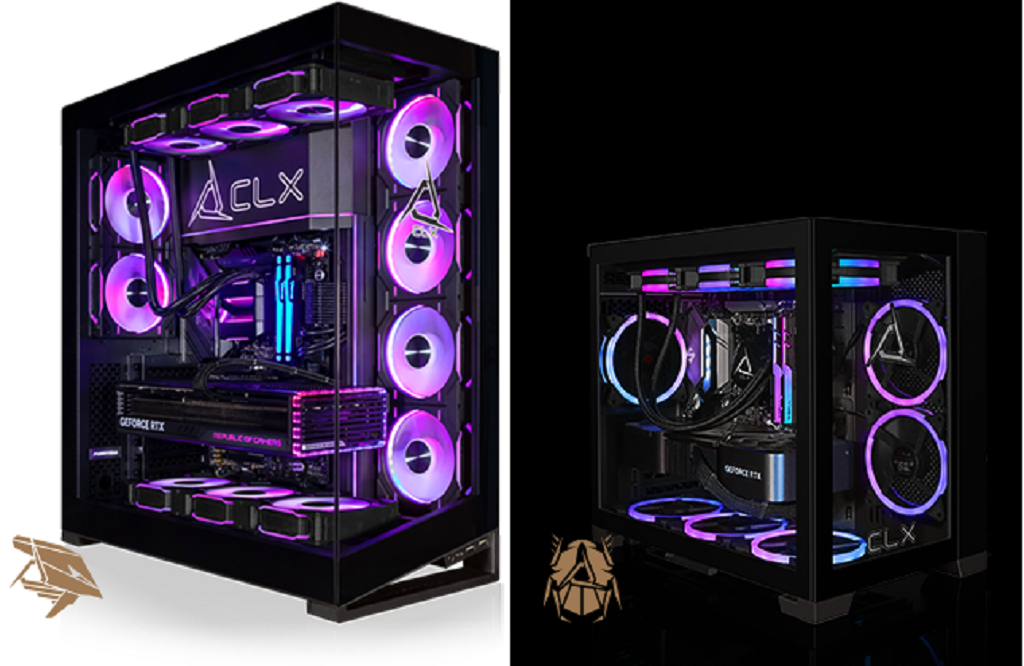
To find the best custom-built gaming PC, you need to understand your gaming needs and the necessary components. Every part affects performance, compatibility, noise, cooling, or future upgrade options. You don’t need to be a hardware expert to make smart choices. Start with the games you play, the performance you want, and how you expect to use the PC.
Choosing the Right Processor
The CPU handles the instructions that keep your games and other programs running. Its performance can make a noticeable difference, especially in games that rely heavily on the processor.
Think about the types of games you enjoy before picking a CPU. Strategy games, simulations, and competitive titles can benefit from strong processing power. A capable processor also helps if you stream gameplay or keep several applications open while gaming.
It also helps to consider the rest of your build. Your CPU should match your graphics card and other hardware.
Choose the Right Graphics Card
The GPU creates the images you see on your screen. It handles details such as textures, lighting, shadows, and visual effects.
Your monitor resolution is a good place to start when choosing a graphics card. A PC built for 1080p gaming has different needs from one designed for 1440p or 4K.
Think about the games you play, too. If you want high settings, smooth frame rates, or features such as ray tracing, you may need a more capable GPU.
Consider RAM Capacity and Speed
RAM gives your PC temporary space for the information your games and applications are using. Having enough memory helps your system handle gaming alongside other tasks.
For many gaming setups, 16GB provides a solid starting point. If you stream, edit videos, create content, or regularly multitask, moving to 32GB can give you more breathing room.
Speed and compatibility matter as well. Your motherboard and processor determine which types of RAM your system can support.
Select Storage for Speed and Capacity
Nobody enjoys running out of space after installing a few large games. That makes storage capacity worth considering before you finalize your configuration.
SSDs offer fast loading times for games and applications. NVMe SSDs can provide particularly quick performance, making them a popular choice for gaming systems.
You can also split your storage between drives. A fast primary SSD can handle Windows and frequently played games, while another drive can hold a larger game library.
Keeping Your System Cool
Powerful components generate heat, especially during long gaming sessions. Good cooling helps keep temperatures under control and supports consistent performance.
Air cooling works well for many gaming PCs. Liquid cooling can help systems with higher thermal demands or gamers who prefer its look.
The case matters here, too. Good airflow gives hot air a clear path out of the system while bringing cooler air toward the components.
Check the Motherboard and Power Supply
The motherboard determines how your components connect and what upgrades you can make later. Check its processor compatibility, RAM support, storage connections, USB ports, and expansion slots.
The power supply deserves the same attention. It needs enough wattage to handle your current components while leaving sensible room for future upgrades.
Before choosing a case, check the physical dimensions of every major component. A little planning can prevent compatibility headaches later.
Build Around Your Gaming Priorities
The best custom-built gaming PC will look different for every gamer. Someone focused on competitive games may prioritize high frame rates and strong CPU performance. Another gamer may care more about 4K visuals, storage space, or quieter cooling.
A custom configurator lets you make those decisions around your actual needs. With CLX Gaming, the Ultimate Configurator lets you choose components such as the CPU, GPU, RAM, storage, and cooling. CLX Gaming then assembles and tests custom systems before shipment.
For more information about configuring a custom gaming system and finance gaming pc, visit CLX Gaming to explore available configurations and component options.
 Turkish
 English
 Arabic
 French
 Spanish
 Portuguese
 Deutsch
 Dutch
Dutch
 Italiano
 Russian
 Romaian
 Portuguese (Brazil)
 Greek
Greek
