


Gaming Computers For Sale: How to Match a Gaming PC to Your Play Style
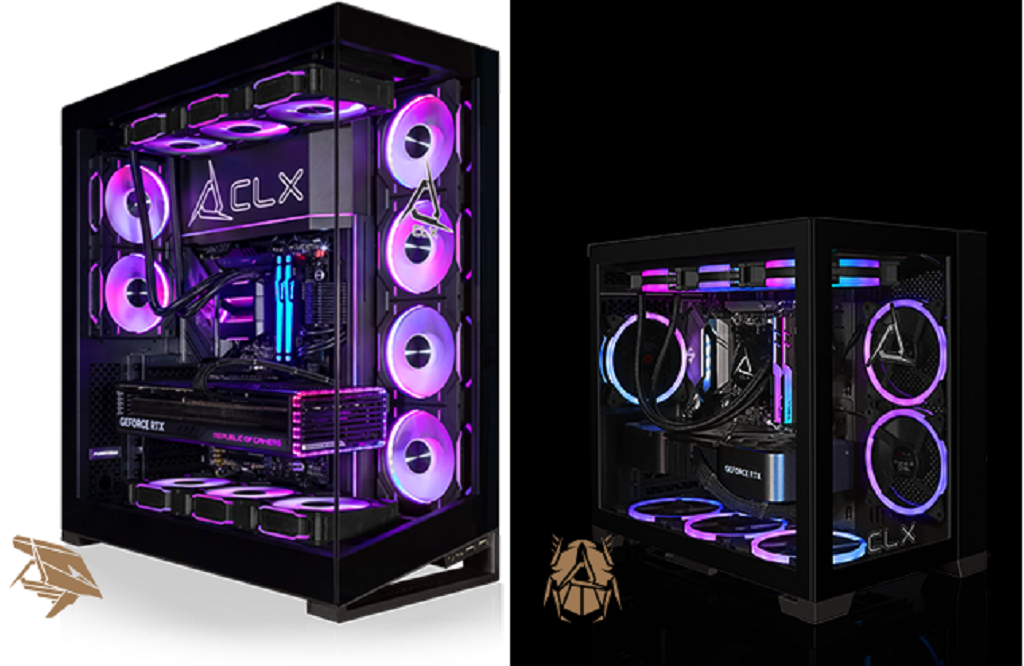
Choosing among gaming computers for sale becomes easier when you start with your gaming habits. The games you play, the resolution you prefer, and the tasks you perform alongside gaming all influence the hardware you need. A competitive player may prioritize fast frame rates, while someone who enjoys cinematic RPGs may focus on graphics quality and resolution.
Your ideal gaming computer should reflect how you actually use your setup. Looking at your routine first can make hardware comparisons more practical and focused.
Start With the Games You Play Most
Different game genres place different demands on your computer. Competitive games such as first-person shooters can benefit from high frame rates and responsive performance. A powerful graphics card paired with a capable processor can help maintain consistent performance during fast gameplay.
Open-world games typically place greater demands on graphics hardware. Higher graphical settings require a GPU capable of rendering detailed environments, lighting effects, textures, and animations.
Simulation and strategy games can place considerable demands on the processor. These games may simultaneously calculate large numbers of units, characters, or environmental interactions.
Virtual reality introduces additional considerations. Stable frame rates and responsive rendering help create a comfortable experience when using a VR headset.
Match Hardware to Your Gaming Habits
Your graphics card should align with your preferred resolution and visual settings. Gaming at 1080p generally requires fewer resources than gaming at 1440p or 4K.
The processor also influences performance, particularly in games that rely heavily on CPU calculations. A balanced CPU-GPU pairing helps prevent one component from limiting the other's capabilities.
Memory affects how comfortably your system handles games and background applications. Starting with 16GB can suit many gaming setups, while 32GB provides additional room for demanding games, streaming, and multitasking.
Storage deserves consideration too. An NVMe SSD can provide fast loading times and responsive access to your games and applications.
Think About What Happens Outside the Game
Your gaming computer may handle several tasks simultaneously. You might keep a voice chat application open while browsing guides, recording gameplay, or streaming to an audience.
Content creation can increase hardware requirements. Video editing, recording, image editing, and other creative applications may benefit from additional memory and stronger processing capabilities.
Think about your complete routine before selecting components. A computer designed solely for gaming can have different priorities than a system used for gaming and creative work.
Consider Your Monitor Before Choosing a PC
Your monitor should influence your computer selection. Resolution and refresh rate determine how much graphical performance you can take advantage of.
A 1080p display with a high refresh rate can suit competitive gaming. A 1440p monitor offers additional visual detail while maintaining strong performance with appropriate hardware. A 4K display requires significantly greater graphics processing power, particularly when using demanding visual settings.
Matching your computer to your monitor helps you allocate your budget effectively. There is little benefit in selecting hardware designed for extremely high resolutions if your display cannot show them.
Leave Room for Future Upgrades
Upgrade potential can influence how long your system remains useful. Extra RAM slots, additional storage capacity, and an appropriate power supply can provide flexibility later.
Case dimensions also deserve attention. A spacious case can make component installation and maintenance easier while providing room for future hardware.
You should also check motherboard compatibility before planning upgrades. This can help determine which processors, memory modules, storage drives, and other components you can install later.
Find a Configuration That Fits Your Routine
Your gaming preferences provide a useful starting point for evaluating Gaming Computers For Sale. Consider the games you play, your preferred resolution, your monitor's refresh rate, and the applications you use alongside gaming.
A thoughtful configuration gives you the performance you need while leaving room for future changes. Taking these factors into account can make the buying process more focused and help you build a setup suited to your actual routine.
If you want to explore customizable gaming configurations tailored to different performance requirements, CLX Gaming offers systems that let you evaluate hardware options to match your preferred gaming experience. For more information Custom Gaming Pc, please visit CLX Gaming.

 English
 Arabic
 French
 Spanish
 Portuguese
 Deutsch
 Turkish
 Dutch
Dutch
 Russian
 Romaian
 Portuguese (Brazil)
 Greek
Greek
