


Lenovo Tab M11 Explained: Specs, Features and Performance
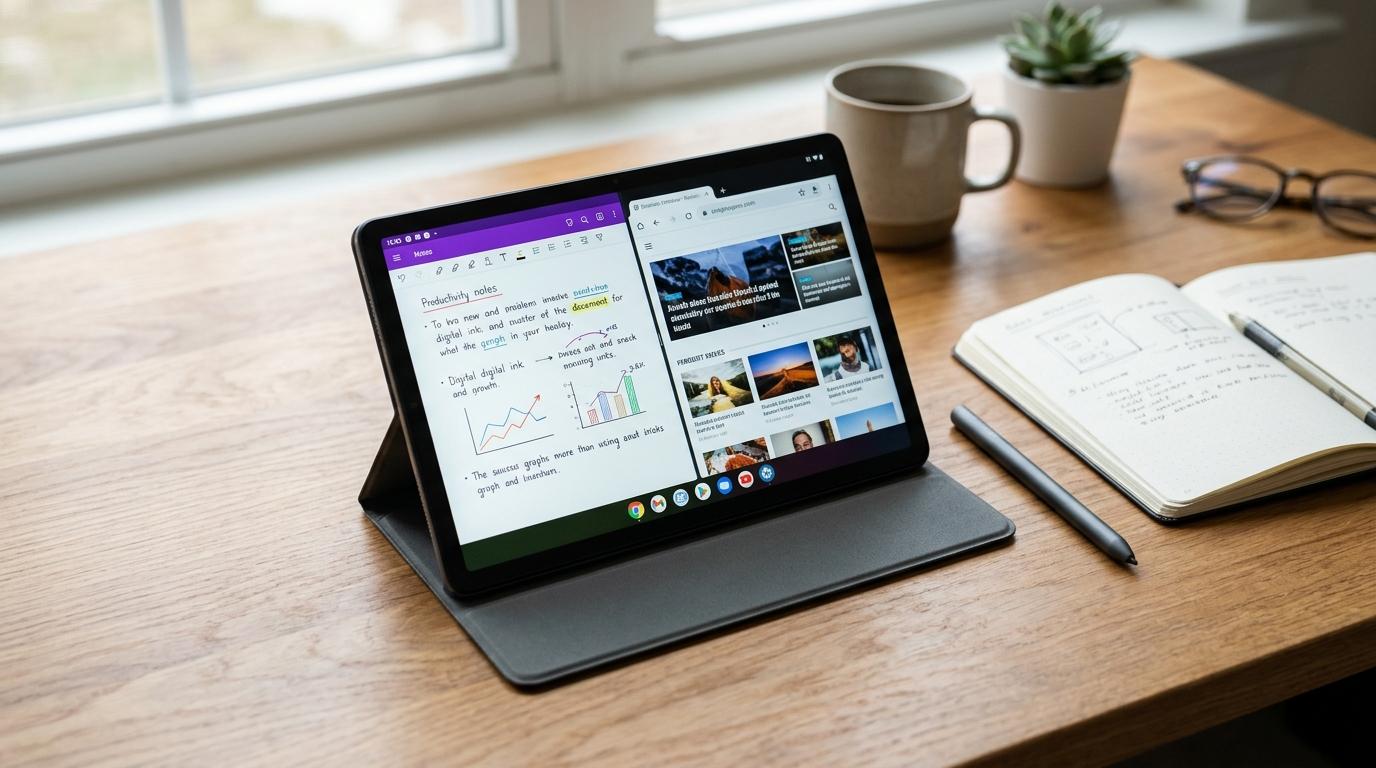
A good tablet should make everyday tasks easier, whether you are watching videos, reading documents, attending online classes, or browsing the web. The Lenovo Tab M11 is an Android tablet designed for entertainment, learning, and general productivity. It offers an 11-inch display, multiple memory configurations, and support for selected accessories, depending on the model and market. This guide explains what you should know about the Lenovo Tab M11 tablet before choosing it.
Lenovo Tab M11 Tablet: An Overview
The Lenovo Tab M11 tablet is designed for people who want a larger screen than a smartphone without carrying a laptop everywhere. Its slim design makes it suitable for home use, studying, and light work while travelling.
The tablet features an 11-inch LCD display with a resolution of 1920 × 1200 pixels and a refresh rate of up to 90Hz. These specifications provide enough screen space for reading, watching content, and using multiple applications. The actual experience can vary depending on the application, settings, and available content.
Lenovo offers different configurations across markets, so checking the exact model number is important before purchasing.
Lenovo Tab M11 Android Tablet: Key Specifications
Understanding the hardware helps you decide whether this tablet suits your needs. The following table covers the main specifications commonly associated with the Lenovo Tab M11.
|
Feature |
Specification |
|
Display |
11-inch LCD |
|
Resolution |
1920 × 1200 pixels |
|
Refresh rate |
Up to 90Hz |
|
Processor |
MediaTek Helio G88 |
|
RAM |
4GB or other configurations in selected markets |
|
Storage |
64GB or 128GB, depending on model |
|
Operating system |
Android; version varies by release and updates |
|
Battery |
Approximately 7,040mAh |
|
Audio |
Four speakers with Dolby Atmos support |
|
Expandable storage |
microSD support, subject to model limits |
These specifications can differ by region and model number. Check Lenovo's official specifications for the particular version available in your market, especially for memory, storage, software support, and accessories.
Lenovo Tab M11 Display and Performance
The 11-inch display is one of the tablet's main features. Its 1920 × 1200 resolution is suitable for reading articles, viewing presentations, watching films, and browsing websites. The 90Hz refresh rate can also make scrolling feel smoother than on a standard 60Hz screen.
The MediaTek Helio G88 processor is designed for everyday mobile tasks. It can handle web browsing, video streaming, document editing, online learning platforms, and many casual games. However, it is not intended to deliver flagship-level gaming performance or demanding professional workloads.
When evaluating Lenovo Tab M11 display and performance, consider how you plan to use it. For everyday activities, the combination of screen size and midrange hardware can be practical. Running demanding games, editing large video files, or keeping many resource-heavy applications open may expose its limitations.
Lenovo Tab M11 4GB RAM: Is It Enough?
The Lenovo Tab M11 4GB RAM configuration can be suitable for basic tasks such as browsing, messaging, streaming, reading, and attending online classes. It provides enough memory for ordinary use, although performance depends on how many applications are running simultaneously.
Users who frequently switch between several applications may experience more reloads than they would with a device offering more RAM. This matters when using a browser with many tabs alongside video calls, documents, or study applications.
If your budget allows, compare available memory configurations before buying. Also remember that some storage and memory specifications vary by market, so confirm the details rather than relying only on the product name.
Lenovo M11 Tablet 128GB: Storage and Expansion
Storage determines how many applications, documents, photos, videos, and downloaded files you can keep on your device. The Lenovo M11 tablet 128GB version offers more space than a 64GB model, making it worth considering if you download media or keep study materials offline.
The tablet also supports expandable storage through a microSD card in supported configurations. This can help store compatible files without using all the internal space. However, not every application can be moved to external storage, and a memory card does not replace internal storage for every task.
Before choosing a version, estimate how much space you need for apps, offline videos, schoolwork, and other files. A larger capacity can reduce the need to delete content regularly.
Battery Life, Audio and Accessories
The Lenovo Tab M11 includes a battery of approximately 7,040mAh. Actual battery life depends on screen brightness, Wi-Fi use, gaming, video playback, and background applications. Lower brightness and fewer active background processes can help extend usage between charges.
Its four-speaker system with Dolby Atmos support is designed to provide a more engaging listening experience for films, lessons, and music. Headphones remain useful in noisy environments or when you need privacy.
Selected versions support Lenovo Tab Pen accessories, and compatible keyboard options may also be available. Accessory compatibility depends on the exact model and package, so check what is included before purchasing.
Lenovo Tab M11 for Everyday Use
For students, the tablet can be useful for reading digital textbooks, taking notes with a compatible pen, joining online classes, and viewing presentations. Its large display provides more room for educational content than a typical phone screen.
At home, it can serve as a device for streaming, browsing recipes, checking email, and managing everyday tasks. It can also handle basic productivity activities, including writing documents and reviewing spreadsheets, through compatible applications.
At techbysak , our goal is to explain technology in a practical way so readers can understand what a device offers and where its limitations matter. The Lenovo Tab M11 is best assessed according to your real requirements rather than specifications alone.
For intensive multitasking, advanced gaming, or professional creative work, compare it with more powerful tablets before making a decision.
Advantages and Limitations
The Lenovo Tab M11 has several practical strengths:
-
An 11-inch, 1920 × 1200 display for reading and entertainment.
-
A refresh rate of up to 90Hz for smoother scrolling.
-
Four speakers with Dolby Atmos support.
-
Storage options that may include 128GB and microSD expansion.
-
Support for selected pen accessories for compatible tasks.
There are also limitations to consider. The Helio G88 is an entry-level to midrange processor rather than a high-performance chip. A 4GB RAM version may feel restrictive with demanding multitasking, and accessory availability varies by region. Software update support should also be checked for the exact model.
Is the Lenovo Tab M11 Worth Considering?
The Lenovo Tab M11 can be a sensible option for users who need a tablet for entertainment, online learning, reading, browsing, and light productivity. Its screen size, audio features, and available storage configurations make it suitable for several everyday activities.
However, your decision should depend on the price, memory configuration, software support, and intended workload. If you mainly need a reliable device for common tasks, it is worth comparing with alternatives in the same price range. If you need intensive gaming or advanced multitasking, a more powerful model may be a better fit.
FAQs
1. What is the screen size of the Lenovo Tab M11?
It has an 11-inch LCD display with a resolution of 1920 × 1200 pixels.
2. Does the Lenovo Tab M11 come with 4GB RAM?
Yes, a 4GB RAM configuration is available in selected markets. Other configurations may vary by region.
3. Is the Lenovo Tab M11 available with 128GB storage?
Yes, a 128GB version is available in selected markets. Confirm the storage capacity of the specific model before buying.
4. Is the Lenovo Tab M11 good for students?
It can be useful for online classes, reading, note-taking with compatible accessories, and accessing educational applications.
5. Can the Lenovo Tab M11 handle gaming?
It can run many casual games, but demanding games may require lower graphics settings and may not perform as smoothly as on more powerful tablets.
 Arabic
 English
 French
 Spanish
 Portuguese
 Deutsch
 Turkish
 Dutch
Dutch
 Italiano
 Russian
 Romaian
 Portuguese (Brazil)
 Greek
Greek
