


How to Use Software Security Testing Effectively
Introduction
Modern software applications handle sensitive customer information, business records, payment details, and confidential data every day. As cyber threats continue to grow, organizations can no longer afford to ignore security during the development process. This is where software security testing becomes essential.
Many businesses invest heavily in software development but overlook security checks until a problem occurs. Unfortunately, a single vulnerability can lead to data breaches, financial losses, and reputational damage. By implementing proper security testing practices from the beginning, companies can identify risks early and build stronger, safer applications.
This guide explains how to use software security testing effectively, the steps involved, and why it should be part of every software development strategy.
What Is Software Security Testing?
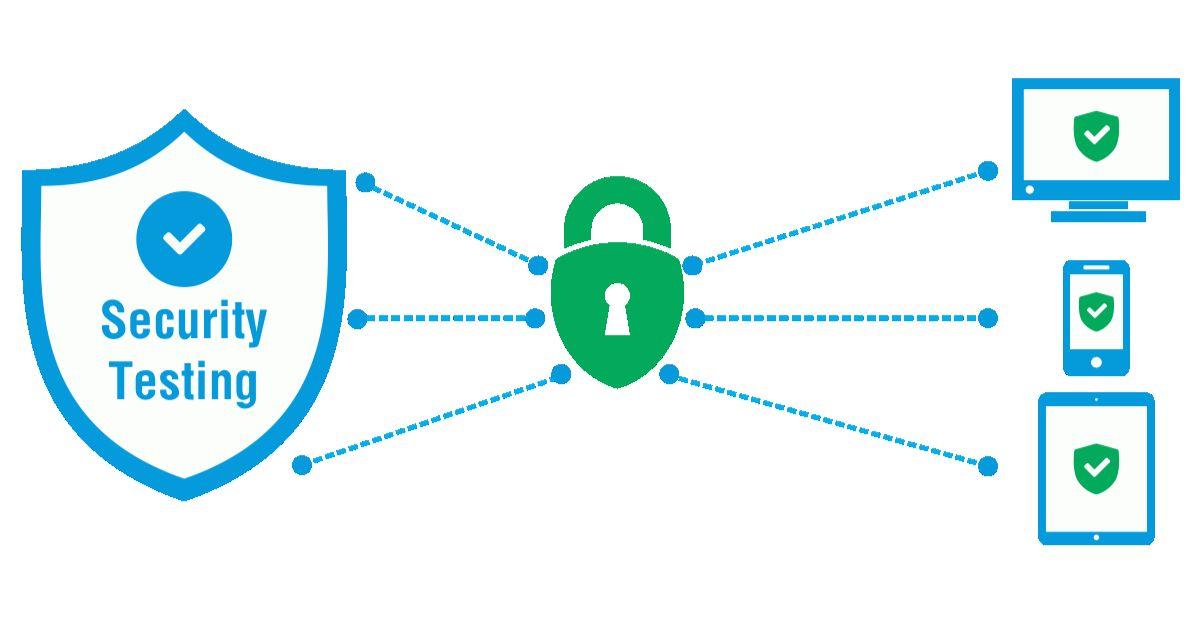
Software security testing is the process of evaluating an application to identify vulnerabilities, weaknesses, and potential security threats before attackers can exploit them. The goal is to ensure that software remains secure, reliable, and compliant with industry standards.
Unlike traditional testing methods that focus mainly on functionality, security testing examines how well an application protects sensitive information, prevents unauthorized access, and withstands cyberattacks.
For example, a company developing an online banking platform must ensure customer accounts cannot be accessed through security loopholes. Effective testing helps identify these issues before deployment.
Why Application Security Testing Matters
Organizations today face a growing number of cyber threats targeting web applications, mobile apps, and cloud environments. This makes application security testing a critical component of software quality assurance.
When businesses test their applications regularly, they can:
-
Detect vulnerabilities before release
-
Protect sensitive customer information
-
Reduce security risks and compliance issues
-
Improve customer trust and confidence
-
Minimize costly security incidents
Think of security testing as locking all doors and windows before leaving your home. Even a beautiful house remains vulnerable if it lacks proper protection.
Step 1: Define Security Requirements Early
The first step in effective web application security testing is identifying security requirements during project planning.
Development teams should determine:
-
Data protection requirements
-
User authentication methods
-
Access control policies
-
Industry compliance standards
-
Security regulations
Starting early helps organizations integrate security throughout the development lifecycle rather than treating it as an afterthought.
Step 2: Conduct Risk Assessment
Before beginning qa testing, teams should evaluate potential threats and vulnerabilities associated with the application.
A risk assessment helps identify:
-
High-value assets
-
Potential attack points
-
Sensitive user information
-
Security weaknesses
For instance, an eCommerce website processing payments requires stronger security controls than a basic informational website because the potential risks are significantly higher.
Step 3: Integrate Security into QA Processes
Modern businesses increasingly combine security validation with traditional qa testing services to create a more comprehensive quality assurance strategy.
Quality assurance teams should verify:
-
Authentication mechanisms
-
User permissions
-
Session management
-
Data encryption
-
Input validation
By integrating security into regular QA workflows, organizations can detect issues earlier and reduce remediation costs.
Step 4: Use Automated Security Testing
Automation plays a major role in modern software development. Many organizations now leverage qa automation testing services to accelerate testing and improve consistency.
Automated security testing offers several benefits:
-
Faster vulnerability detection
-
Consistent test execution
-
Reduced human error
-
Improved testing coverage
-
Continuous monitoring
A development team releasing weekly software updates can save considerable time by automating repetitive security checks rather than performing them manually each time.
Step 5: Perform Web Application Security Testing
Since web applications are frequent targets for cyberattacks, thorough web application security testing is essential.
Security teams should evaluate:
-
SQL injection vulnerabilities
-
Cross-site scripting (XSS)
-
Authentication flaws
-
Session vulnerabilities
-
Security misconfigurations
Regular testing ensures web applications remain protected against evolving attack methods and emerging threats.
Step 6: Validate Software Performance Alongside Security
Many organizations focus exclusively on security while overlooking performance. However, security features should not negatively impact application speed or usability.
Conducting software performance testing helps teams verify that security controls function efficiently under different workloads.
Performance validation helps determine:
-
System response times
-
Resource utilization
-
Application stability
-
Scalability under heavy traffic
Balancing security and performance creates a better user experience without compromising protection.
Step 7: Test Under Real-World Conditions
One of the most effective approaches combines security evaluations with performance testing under realistic usage scenarios.
Organizations should simulate:
-
High user traffic
-
Large data transactions
-
Multiple concurrent sessions
-
Potential attack attempts
These simulations help uncover vulnerabilities that may only appear under specific conditions.
For example, an online retail platform may perform perfectly during normal usage but experience security weaknesses during peak holiday shopping periods when traffic surges dramatically.
Step 8: Conduct Penetration Testing
Penetration testing allows security professionals to simulate real cyberattacks against an application.
This advanced form of application security testing helps organizations:
-
Discover hidden vulnerabilities
-
Assess overall security posture
-
Validate existing security controls
-
Improve incident response readiness
Ethical hackers often uncover weaknesses that automated tools may miss, making penetration testing an important layer of defense.
Step 9: Continuously Monitor and Update
Security is not a one-time activity. Effective software security testing requires continuous monitoring throughout the software lifecycle.
Organizations should:
-
Monitor security logs
-
Apply patches regularly
-
Update dependencies
-
Retest after major changes
-
Track emerging threats
Continuous improvement helps ensure applications remain protected as technologies and attack methods evolve.
Common Mistakes to Avoid
Even companies that invest in security sometimes make costly mistakes. During qa testing services, organizations should avoid:
-
Delaying security testing until deployment
-
Relying solely on automated tools
-
Ignoring third-party component risks
-
Neglecting employee security training
-
Failing to retest after updates
Avoiding these mistakes significantly improves overall software security and reliability.
How Security Testing Builds Customer Trust
Customers expect businesses to protect their information. Effective web application security testing demonstrates a commitment to privacy and security.
When users know an application undergoes regular testing, they feel more confident sharing personal and financial information. This trust often translates into improved customer retention and stronger brand reputation.
For businesses competing in crowded markets, security can become a powerful competitive advantage.
Why Choose ThinkDone Solutions
At ThinkDone Solutions, we understand that security and quality go hand in hand. Our team delivers comprehensive qa automation testing services, advanced application security testing, and reliable software performance testing solutions designed to help businesses launch secure, high-performing applications.
Whether you need vulnerability assessments, automated testing frameworks, performance optimization, or end-to-end quality assurance support, ThinkDone Solutions provides the expertise necessary to protect your software and strengthen customer confidence.
Conclusion
Effective software security testing is no longer optional in today's digital environment. Organizations that prioritize security throughout the software development lifecycle can identify vulnerabilities early, reduce risks, and protect sensitive data from cyber threats.
By combining strong application security testing, professional qa testing, comprehensive web application security testing, and ongoing performance testing, businesses can create software that is both secure and reliable. Investing in security today helps prevent costly problems tomorrow while building lasting trust with customers and stakeholders.
FAQs
1. What is software security testing?
Software security testing is the process of identifying vulnerabilities, security weaknesses, and potential threats within an application to ensure data protection and system integrity.
2. Why is application security testing important?
Application security testing helps organizations detect security flaws before deployment, reducing the risk of cyberattacks, data breaches, and compliance violations.
3. How does QA automation testing improve security?
QA automation testing services enable faster and more consistent testing by automatically detecting vulnerabilities, validating security controls, and supporting continuous integration workflows.
4. What is the difference between security testing and performance testing?
Software performance testing evaluates application speed, stability, and scalability, while security testing focuses on identifying vulnerabilities and protecting systems from unauthorized access and attacks.

 English
 Arabic
 French
 Spanish
 Portuguese
 Deutsch
 Turkish
 Dutch
Dutch
 Italiano
 Russian
 Portuguese (Brazil)
 Greek
Greek