


A Smart Buying Guide to Entry Level Gaming PC in UAE
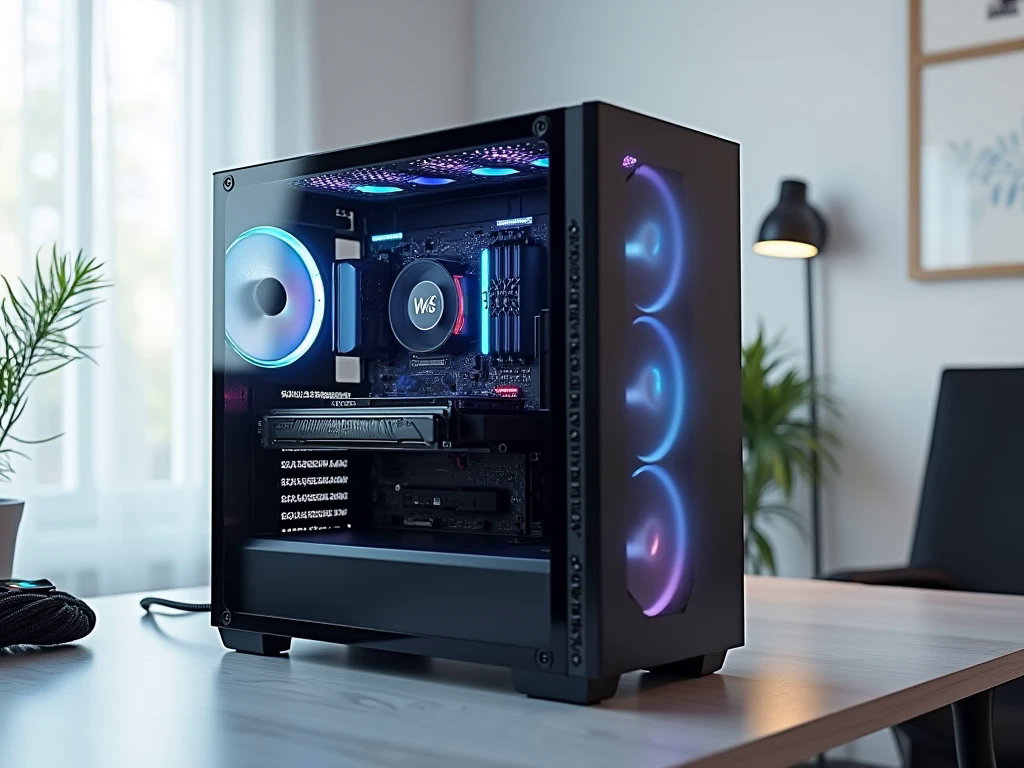
Your first gaming computer should give you the freedom to explore different games without forcing you to spend money on hardware you may never need. For new players, the challenge is understanding which specifications genuinely improve gameplay and which features simply make a computer look more impressive.
An Entry level gaming PC in UAE can be a sensible starting point for casual gamers, students, and first-time desktop owners who want a capable system for entertainment and everyday tasks. However, choosing wisely requires more than comparing advertised prices. Game requirements, monitor resolution, component quality, and upgrade options all affect the value of a purchase. UAE buyers should also consider local warranty support and the complete cost of setting up a computer. By approaching the decision as a long-term investment rather than an impulse purchase, you can choose a machine that fits your current needs and leaves room for future improvements.
What Should You Expect From an Entry-Level Gaming PC?
Entry-level does not mean every game will run at maximum settings. It means selecting hardware that provides a useful gaming experience at a price you can manage.
For example, competitive games and lighter multiplayer titles may run comfortably on a modest system, while demanding open-world games can require a stronger graphics card and careful adjustment of visual settings. Performance also depends on the particular game, its optimisation, and the resolution you use.
A practical starting point for many beginners is 1080p gaming. This resolution can offer a good balance between visual quality and hardware requirements. If you eventually want to move to 1440p, consider whether your graphics card and budget can support that goal. Establishing realistic expectations makes it easier to compare systems without being misled by broad claims about performance.
Choose Hardware Based on How You Play
Graphics card: Prioritise the games you enjoy
The graphics processing unit (GPU) renders the images, textures, lighting, and effects you see on screen. For a desktop intended to play a variety of modern games, a dedicated graphics card is often an important investment.
Rather than selecting a GPU based on its name alone, check benchmarks for your preferred titles. Look at performance at your target resolution, video memory capacity, power requirements, and support for relevant graphics technologies. Some games are less demanding than others, so the right choice depends on your gaming habits.
Integrated graphics may suit lighter games and everyday computing, but they are not a substitute for a dedicated GPU in every gaming situation.
Processor: Balance speed and value
The CPU manages game logic, background tasks, and general system operations. Mainstream AMD Ryzen 5 and Intel Core i5 processors can be suitable for entry-level builds, depending on the exact generation and model.
A high-end processor is not always necessary for a budget gaming computer. If the graphics card is the main factor limiting performance, spending much more on the CPU may provide little improvement. Choose a processor that complements the GPU and leaves enough of your budget for other essential components.
Memory and storage: Avoid an uncomfortable first experience
For many entry-level systems, 16GB of RAM is a reasonable starting point. If you regularly stream, multitask, or use demanding creative applications, 32GB may provide more flexibility. Check the motherboard's supported memory type and whether the system can be upgraded later.
An SSD is important for quick startup times and responsive everyday use. A 1TB SSD is a useful capacity to consider if you want to install several large games. A smaller drive may be adequate initially, but check whether you can add another drive as your library grows.
Why the Supporting Components Matter
Two computers with similar processors and graphics cards may differ in reliability because of their supporting components. The motherboard, power supply, cooling system, and case all deserve attention.
The motherboard must support the selected processor and memory. It should also provide the connections you need for storage, networking, and future expansion. A premium motherboard is unnecessary if a more affordable model already meets your requirements.
The power supply should be a reputable model with appropriate capacity and connectors for the chosen hardware. Avoid buying a system based only on the advertised GPU and CPU while ignoring the power supply's specifications.
Cooling is equally important. Choose a case with sensible airflow and enough room for the components. In the UAE, where outdoor temperatures can be high, good ventilation and a properly cooled indoor space are particularly worth considering. Regularly cleaning dust filters and keeping the tower away from enclosed spaces can help maintain airflow.
Calculate the Real Cost Before Buying
The price of the desktop is only one part of your gaming budget. If you do not already have the necessary equipment, you may need to purchase a monitor, keyboard, mouse, headset, and operating system.
Decide how much you can spend on the complete setup before comparing computers. A sensible monitor and reliable peripherals can improve everyday enjoyment more than decorative features that do not affect performance.
When comparing UAE sellers, check current prices, component availability, assembly charges, and warranty conditions. Prices can change with stock levels and promotions, so treat online estimates as a starting point rather than a guaranteed quotation.
Is a Prebuilt PC or Custom Build Better for Beginners?
A prebuilt gaming PC offers convenience because the components are already assembled. Depending on the seller, it may also include system testing and support through a single service provider. This can be helpful if you do not want to assemble or troubleshoot a computer yourself.
A custom-built PC gives you more control over the parts and how your budget is allocated. You can focus on gaming performance instead of paying extra for features you do not value. However, component compatibility and assembly quality need careful attention.
Before choosing either option, request a complete specification list. Confirm the exact motherboard, power supply, memory configuration, storage capacity, and graphics card model.
Hextech Computer Trading is one option to consider when comparing gaming PC configurations; evaluate its available systems, warranty terms, and after-sales support against your requirements.
How to Make Your First Gaming PC Last Longer
You do not need to buy the most powerful machine available to make a sensible long-term choice. Instead, look for practical upgrade opportunities.
A system with additional memory slots, spare storage connections, and a suitable power supply may be easier to improve later. If you eventually want a stronger graphics card, check the case dimensions and available power capacity before buying.
You should also keep the operating system and drivers updated, maintain adequate ventilation, and avoid obstructing the computer's airflow. These basic habits help you look after the system without spending extra money on unnecessary accessories.
Frequently Asked Questions
1. What is the best entry-level gaming PC in the UAE?
The best option depends on your budget and preferred games. A balanced system with a suitable graphics card, capable processor, 16GB of RAM, SSD storage, and reliable power delivery is a practical starting point for many beginners.
2. Can an entry-level gaming PC handle schoolwork and everyday tasks?
Yes. A well-configured desktop can handle web browsing, office applications, online classes, video calls, and many general productivity tasks alongside gaming.
3. Should I buy a gaming PC that I can upgrade later?
If you expect your gaming requirements to grow, upgrade flexibility is worth considering. Check motherboard compatibility, spare memory and storage connections, power supply capacity, and case clearance before purchasing.
Conclusion
A worthwhile gaming computer is not defined by its price or appearance. It is defined by how well its components meet your gaming needs, how reliably it operates, and whether the complete setup fits your budget. Compare real gaming performance, examine supporting components, account for accessories, and verify warranty coverage before making a decision. With the right preparation, an Entry level gaming PC in UAE can provide a rewarding introduction to PC gaming while supporting everyday computing and future upgrades. Focus on practical value today, and choose a system that gives you sensible options for tomorrow.

 English
 Arabic
 French
 Spanish
 Portuguese
 Deutsch
 Turkish
 Dutch
Dutch
 Italiano
 Russian
 Romaian
 Portuguese (Brazil)
