


Prebuilt Gaming PC Myths You May Have Heard Before
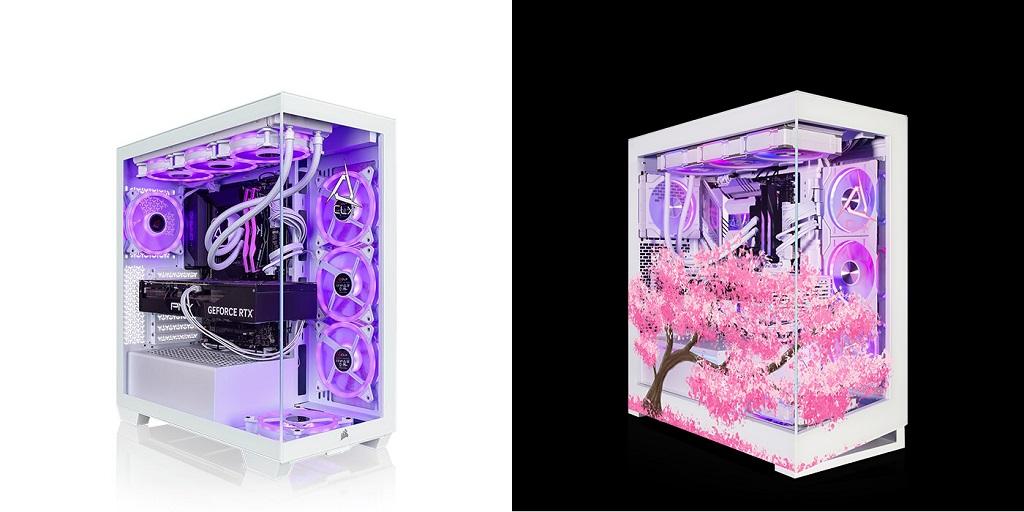
If you have been looking into a prebuilt gaming PC you have probably come across a few opinions about what you are getting. Maybe you have heard that prebuilt systems are hard to upgrade or rely on basic components. You may even have seen people say that building a PC yourself is the only way to get great gaming performance.
Some of these ideas come from older experiences with prebuilt computers. Others simply overlook how different systems can be from one another. The hardware inside the computer matters far more than the fact that it arrived assembled. Before you decide, it is worth taking a closer look at a few myths that still surround prebuilt gaming systems.
Myth: You Cannot Upgrade a Prebuilt PC
This is probably one of the first things people mention when talking about prebuilt computers. In reality, many systems leave room for hardware upgrades.
The exact options depend on the motherboard, case, power supply, and cooling setup. You might add more RAM, install additional storage, or replace the graphics card later.
Check the specifications before you buy. Look at the available memory slots, storage connections, power supply capacity, and internal case space. These details give you a much better idea of what you can change later.
Myth: Prebuilt PCs Always Use Basic Components
No single hardware setup fits every prebuilt computer. You will find configurations built around entry-level processors as well as systems with high-performance CPUs and dedicated graphics cards.
Some configurations are designed for high-refresh-rate gaming, while others handle virtual reality, 4K displays, or demanding creative software.
Take a look at the actual components rather than making assumptions based on the word “prebuilt.” The processor, graphics card, memory, storage, cooling, and power supply tell you what a system can handle.
Myth: Building Your Own PC Always Means Better Performance
Putting a computer together yourself gives you control over every component. It does not automatically determine how well the finished system performs.
Performance comes from the hardware you select and how those parts work together. A system with a capable processor and graphics card can handle demanding games, high refresh rates, and high-definition displays, whether you assembled it yourself or someone else did.
Your monitor also matters. If you use a 144Hz display, for example, your graphics hardware needs to produce enough frames to take advantage of that refresh rate.
Myth: Prebuilt Systems Skip Important Testing
A computer still needs to work properly as a complete system after all the components are installed.
Testing may include checking temperatures, hardware performance, connectivity, plus overall system stability. These checks matter because individual components can behave differently once they are working together.
For you, that means there is less guesswork when the computer arrives. You can focus on setting up your games, applications, and peripherals instead of wondering whether every component is working as expected.
Myth: Prebuilt PCs Are Only for New PC Gamers
No experience level is required to use a prebuilt computer.
You might know exactly which processor and graphics card you want but have no interest in spending an afternoon assembling the system. Or maybe you simply prefer receiving a computer that has already been put together and tested.
The same applies to experienced PC users. A prebuilt system can still make sense when your priority is getting a specific hardware configuration without handling every step of the build yourself.
What to Check Before You Buy
The easiest way to look past the myths is to focus on the specifications in front of you. Check the processor, graphics card, RAM, storage, cooling, power supply, and available upgrade options.
It is also worth looking at what happens after the computer arrives. Technical support and repair services may come in handy if you run into a hardware question later.
For more information About prebuilt gaming PC and Custom Gaming Computers please visit CLX Gaming.

 English
 Arabic
 French
 Spanish
 Portuguese
 Deutsch
 Turkish
 Dutch
Dutch
 Italiano
 Russian
 Portuguese (Brazil)
 Greek
Greek
