


A Guide to Choosing the Right Thermal Label Printer
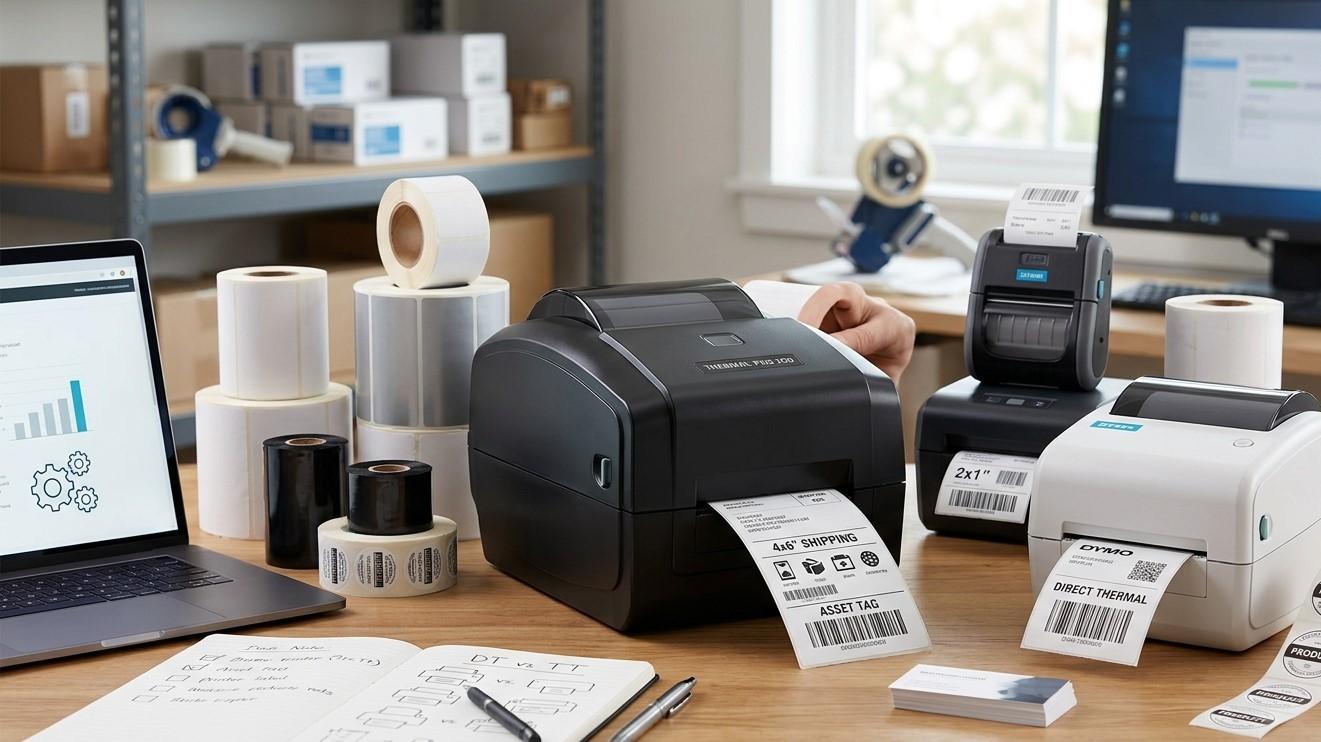
Businesses across retail, warehousing, manufacturing, logistics, healthcare, and e-commerce depend on accurate and reliable labeling. Thermal label printers have become a popular choice because they can produce barcode labels, shipping labels, product labels, inventory tags, and other identification materials efficiently. However, choosing the right thermal label printer is not always simple. Different businesses have different printing volumes, label sizes, durability requirements, and operating environments.
Selecting the right printer can improve label quality, reduce operational delays, and support better inventory and product management. Pointus Solutions provides barcode and labeling solutions to help businesses choose equipment suited to their operational needs. Companies looking to Shop Barcode equipment can explore barcode printers, scanners, labels, ribbons, and other Printing Products that support a wide range of business applications.
This guide explains the most important factors to consider when choosing the right thermal label printer for your business.
What Is a Thermal Label Printer?
A thermal label printer uses heat to create images, text, barcodes, and graphics on label media. Unlike traditional inkjet printers, thermal printers generally do not rely on liquid ink cartridges for printing labels.
There are two main types of thermal label printing:
- Direct thermal printing
- Thermal transfer printing
Both technologies use heat, but they work differently and are suitable for different applications.
Understanding these differences is an important first step when selecting a thermal label printer.
Direct Thermal vs. Thermal Transfer Printing
Before choosing a printer, businesses should understand which printing technology best suits their label requirements.
Direct Thermal Printing
Direct thermal printers create an image by applying heat directly to specially coated, heat-sensitive label material.
The basic process is:
Printhead Applies Heat → Thermal Label Reacts → Image Appears
Direct thermal printing does not require a ribbon.
This can make it suitable for applications such as:
- Shipping labels
- Delivery labels
- Receipts
- Temporary inventory labels
- Short-term identification labels
However, direct thermal labels may be more sensitive to heat, light, and environmental conditions depending on the media used.
Thermal Transfer Printing
Thermal transfer printers use a ribbon. Heat from the printhead transfers material from the ribbon onto the label surface.
The process is:
Printhead → Ribbon → Label → Printed Image
Thermal transfer printing can be suitable for applications requiring more durable or long-lasting labels.
Common applications include:
- Asset labels
- Product identification
- Industrial labels
- Warehouse labels
- Equipment labels
- Long-term inventory labels
The correct printing method depends on the expected label lifespan and working environment.
1. Determine Your Printing Volume
Printing volume is one of the first factors to consider.
A business printing 100 labels per week has different requirements from a warehouse producing thousands of labels each day.
Consider:
- Labels printed per day
- Labels printed per week
- Peak printing periods
- Future growth
- Continuous printing requirements
Low-Volume Printing
Desktop thermal printers may be suitable for small businesses or departments with limited printing needs.
Medium-Volume Printing
Growing businesses may need more durable printers capable of handling regular daily use.
High-Volume Printing
Industrial printers may be more appropriate for warehouses, manufacturing facilities, and distribution centers with continuous printing requirements.
Choosing a printer with the right duty capacity can help prevent unnecessary downtime.
2. Consider the Type of Labels You Need
Thermal printers support different label sizes and materials.
Before purchasing, determine what you need to print.
Examples include:
- Product labels
- Barcode labels
- Shipping labels
- Inventory labels
- Shelf labels
- Asset labels
- Pallet labels
- Bin labels
- Equipment labels
Consider both the width and length of your labels.
The printer should support your required media dimensions without requiring unnecessary compromises.
3. Choose the Right Print Resolution
Print resolution is commonly measured in dots per inch, or DPI.
Common thermal printer resolutions include:
- 203 DPI
- 300 DPI
- 600 DPI
203 DPI
This is commonly suitable for many standard barcode and shipping label applications.
300 DPI
A higher resolution can be useful for smaller text, detailed graphics, and smaller barcode elements.
600 DPI
Very high resolution may be useful for specialized applications requiring extremely fine printing.
Higher resolution is not always necessary. Businesses should choose a resolution based on actual label requirements.
4. Consider Printing Speed
Print speed affects productivity.
Businesses that print large quantities of labels should consider how quickly the printer can produce them.
However, faster is not always better.
The correct speed depends on:
- Print volume
- Label size
- Required print quality
- Barcode size
- Resolution
- Workflow requirements
For high-volume operations, a printer that becomes a bottleneck can slow receiving, packaging, shipping, and inventory processes.
5. Evaluate Label Durability Requirements
Where and how will the label be used?
This question should influence your printer and media selection.
Labels may be exposed to:
- Moisture
- Heat
- Cold
- Sunlight
- Chemicals
- Abrasion
- Frequent handling
- Dust
For short-term indoor applications, standard paper labels may be suitable.
For demanding environments, businesses may require synthetic materials and thermal transfer printing with a compatible ribbon.
Choosing the wrong media can result in faded, damaged, or unreadable labels.
6. Select Compatible Label Materials
A thermal printer should support the media required for your application.
Common materials include:
Paper
Paper labels can be suitable for many general-purpose indoor applications.
Polypropylene
This synthetic material can offer improved durability and moisture resistance for appropriate applications.
Polyester
Polyester labels are often selected for demanding applications requiring greater durability.
The correct material depends on environmental conditions, label lifespan, and surface requirements.
7. Consider Ribbon Requirements
If you choose a thermal transfer printer, you will also need compatible ribbons.
Common ribbon types include:
- Wax
- Wax/resin
- Resin
Wax Ribbons
Often used for general-purpose printing on compatible paper labels.
Wax/Resin Ribbons
Can provide greater durability for applications requiring improved resistance.
Resin Ribbons
Often selected for demanding applications requiring greater resistance to abrasion, moisture, or other environmental conditions when used with compatible media.
The printer, ribbon, and label material should be selected as a compatible combination.
8. Check Barcode Printing Requirements
If you plan to print barcodes, print quality is particularly important.
A barcode printer should produce clear, readable barcode elements.
Consider:
- Barcode type
- Barcode size
- Label dimensions
- Scanner compatibility
- Print resolution
- Required scanning distance
Businesses may use 1D barcode formats such as:
- UPC
- EAN
- Code 39
- Code 128
They may also use 2D formats such as:
- QR Code
- Data Matrix
The printer should support the required barcode designs through compatible software or printer capabilities.
9. Think About Connectivity Options
Thermal label printers can offer different connectivity methods.
Common options include:
- USB
- Ethernet
- Wi-Fi
- Bluetooth
- Serial connections
The best option depends on your workflow.
For example, a printer connected to a single office computer may only require USB. A warehouse printer used by multiple systems may benefit from network connectivity.
Wireless options can also provide flexibility where physical cables are inconvenient.
10. Consider Software Compatibility
The printer should work with your existing business software.
Depending on your operations, this may include:
- Inventory management software
- Warehouse management systems
- ERP systems
- Point-of-sale software
- Shipping platforms
- E-commerce systems
- Asset management software
Before purchasing, confirm that your printer can integrate with your operating system and label-design software.
A printer with strong hardware specifications may still cause problems if it does not work properly with the software your business relies on.
11. Consider Your Work Environment
The location where the printer will operate matters.
A desktop printer may work well in an office or retail environment.
A warehouse or manufacturing facility may require a more durable industrial model.
Consider:
- Dust
- Temperature
- Humidity
- Available workspace
- Electrical requirements
- Continuous use
- Risk of physical damage
Choosing equipment designed for the operating environment can improve reliability.
12. Think About Future Business Growth
A growing business should avoid choosing equipment based only on today's requirements.
Consider where your business may be in the future.
Will you need to print:
- More labels?
- Different label sizes?
- Higher-resolution labels?
- More durable labels?
- Labels at multiple locations?
A scalable solution can reduce the need to replace equipment soon after purchase.
For example, a small business may initially use a desktop printer and later add higher-capacity printers as operations expand.
13. Evaluate Ease of Use
The printer should be easy for employees to operate.
Important usability features may include:
- Easy label loading
- Simple ribbon replacement
- Clear controls
- Easy calibration
- Status indicators
- Straightforward maintenance
If employees struggle to load labels or troubleshoot basic issues, productivity may suffer.
Training requirements should also be considered.
14. Consider Printer Maintenance
All printers require some level of maintenance.
Thermal printers should be maintained according to the manufacturer's recommendations.
Regular tasks may include:
- Cleaning the printhead
- Cleaning the platen roller
- Removing dust and adhesive buildup
- Checking label guides
- Inspecting ribbons
- Monitoring print quality
Proper maintenance can help maintain barcode readability and extend equipment life.
15. Calculate the Total Cost of Ownership
The purchase price is not the only cost to consider.
Businesses should also evaluate:
- Labels
- Ribbons
- Replacement parts
- Maintenance
- Cleaning supplies
- Software
- Accessories
- Downtime
A low-cost printer may not always be the most economical option if it requires frequent replacement or uses expensive consumables.
Comparing total operating costs can help businesses make better long-term decisions.
16. Test Print Quality Before Full Deployment
Before committing to a large number of printers or labels, test the complete printing setup.
Print sample labels and check:
- Text clarity
- Barcode readability
- Print consistency
- Label adhesion
- Resistance to handling
- Compatibility with scanners
Testing should ideally use actual products and realistic working conditions.
For example, if labels will be used in a cold storage environment, they should be tested under conditions similar to the intended application.
17. Match the Printer to Your Industry
Different industries have different labeling needs.
Retail
Retail businesses may need product and shelf labels.
Warehousing
Warehouses often need labels for products, bins, racks, pallets, and shipping.
Manufacturing
Manufacturers may need component, batch, serial number, and finished-product labels.
Logistics
Logistics businesses may need durable labels for shipments, packages, and storage.
E-Commerce
E-commerce operations often need product and fulfillment labels to support accurate order processing.
Understanding your industry's workflow can help narrow down printer options.
18. Avoid Common Thermal Printer Buying Mistakes
Businesses should avoid several common mistakes.
Buying Based Only on Price
The cheapest printer may not meet long-term operational requirements.
Ignoring Printing Volume
A low-capacity printer may struggle in a high-volume environment.
Choosing the Wrong Technology
Direct thermal and thermal transfer printing serve different purposes.
Ignoring Media Compatibility
Labels and ribbons must be compatible with the selected printer.
Overlooking Software Integration
Always consider the systems that will generate and manage labels.
Forgetting Future Growth
A solution that works today may become inadequate as label volumes increase.
A Simple Thermal Label Printer Buying Checklist
Before selecting a printer, ask:
- How many labels do we print each day?
- What label sizes do we need?
- How long must labels remain readable?
- Will labels face harsh environmental conditions?
- Do we need direct thermal or thermal transfer printing?
- What print resolution is required?
- How fast do we need to print?
- What connectivity options do we need?
- Which software will the printer work with?
- What are our expected future requirements?
Answering these questions can make the selection process much easier.
Building a Complete Label Printing System
A reliable labeling system involves more than the printer alone.
A typical workflow may include:
Business Software → Label Design → Thermal Printer → Label Material → Ribbon if Required → Barcode Scanner → Business System
Each component should work together.
Poor-quality labels can affect scanning. Incorrect ribbon selection can affect print durability. Incompatible software can interrupt operations.
Taking a complete-system approach can help businesses avoid these problems.
Final Thoughts
Choosing the right thermal label printer is an important decision for businesses that depend on accurate product identification, barcode scanning, inventory management, shipping, and asset tracking. The best printer depends on your printing volume, label size, print resolution, speed, connectivity, media requirements, operating environment, and future growth plans.
Before making a decision, evaluate whether you need direct thermal or thermal transfer technology and consider how long your labels need to remain readable. Make sure your chosen printer is compatible with the labels, ribbons, barcode formats, scanners, and software used in your operation.
If you are planning to Shop Barcode equipment, taking time to evaluate your specific requirements can help you choose the right solution. Reliable thermal printers, high-quality labels, compatible ribbons, barcode scanners, and other Printing Products can help businesses create efficient and dependable identification workflows.
Pointus Solutions provides barcode and labeling solutions for businesses across retail, warehousing, manufacturing, logistics, distribution, and e-commerce. By selecting the right thermal label printer and building a compatible barcode system, businesses can improve print quality, support accurate scanning, streamline daily operations, and create a stronger foundation for future growth.
 Turkish
 English
 Arabic
 French
 Spanish
 Portuguese
 Deutsch
 Dutch
Dutch
 Italiano
 Russian
 Romaian
 Portuguese (Brazil)
 Greek
Greek
